Are there examples of hideOn for hoverTooltip?

I am trying to create a tooltip with interactive features.

As the first experiment, I defined the hideOn otption as:

    const testHover = hoverTooltip((view, pos, _side) => {
...
      dom.className = "cm-tooltip-dependency cm-tooltip-cursor-wide";
        return {dom};
      }
    };
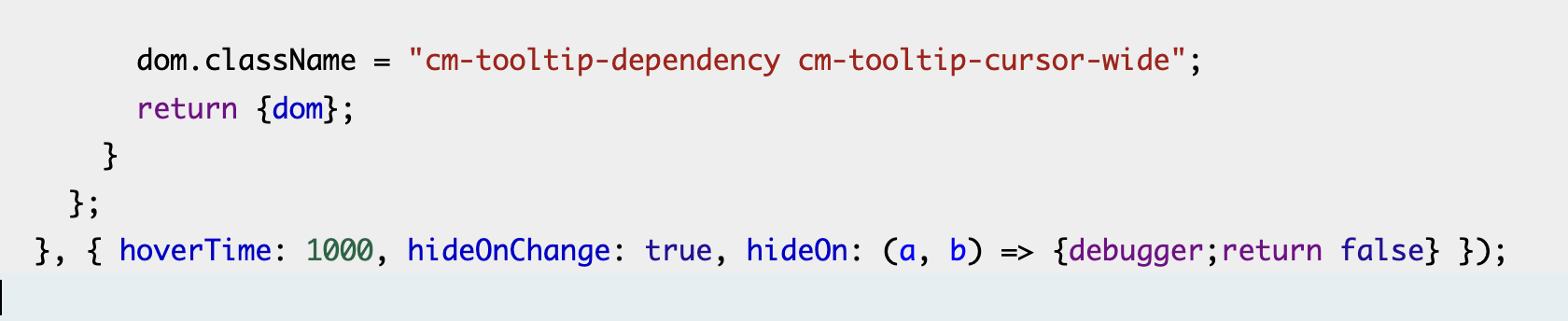
  }, { hoverTime: 1000, hideOnChange: true, hideOn: (a, b) => {debugger;return false} });

the debugger breakpoint hits when I show the tooltip and then move the mouse pointer just a bit. I for example do not want to hide the tooltip with small movement of the mouse. Even though the function return false and the hoverTooltip keeps the value:


      if (value.length) {
        if (options.hideOnChange && (tr.docChanged || tr.selection))
          value = [];
        else if (options.hideOn)
          value = value.filter((v2) => !options.hideOn(tr, v2));
  ...
      for (let effect of tr.effects) {
        if (effect.is(setHover))
          value = effect.value;
        if (effect.is(closeHoverTooltipEffect))
          value = [];
      }

The effect’s is(setHover) resets value to an empty array and deletes the tooltip.

Are there some examples of using hideOn, and specifically show some ways to control the timing of dismissal upon pointer movement?

hideOn responds to editor transactions. It cannot be used to control the way the tooltip responds to mouse motion. There no current way to override that.

Thanks. So the option here might be to copy HoverPlugin (or such), and make my own plugin/extension?

If you can describe precisely what you were trying to implement, maybe we can add it to the library. (Or maybe try an implementation in a copy first to work out what works well.)

Thanks!

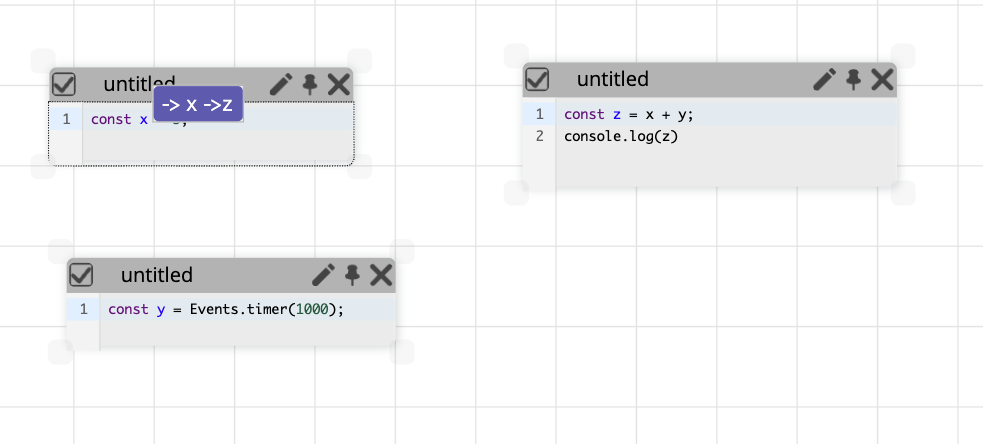
What I am working on is an interactive programming environment. A simple program is like this:

https://yoshikiohshima.github.io/renkon-pad/?file=https://raw.githubusercontent.com/yoshikiohshima/renkon-pad-examples/refs/heads/main/xyz.renkon

If you click in the text pane at the top-left showing const x = 3 and hover your pointer over the line (say, over “x”), you see a purple tooltip like this:

This tooltip means that the node x is used by node z. That “z” in the tooltip is actually a button that I can click on. And if I do so, it’d take me to the use of x in z on the right.

When I was showing the purple tooltip under the mouse pointer, I could click on “z” in the tooltip because the pop up did not go away; but that hides the text below and make it hard to edit text.

So I want to show the pop up somewhere near (or far), and dismiss it at the right time, etc. Getting this detail right needs some experiments so I’d rather have a customizable way to control it to experiment with different interaction patterns.

The entire environment is written in itself. If you open this link:

https://yoshikiohshima.github.io/renkon-pad/?file=https://raw.githubusercontent.com/yoshikiohshima/renkon-pad/refs/heads/main/index.renkon

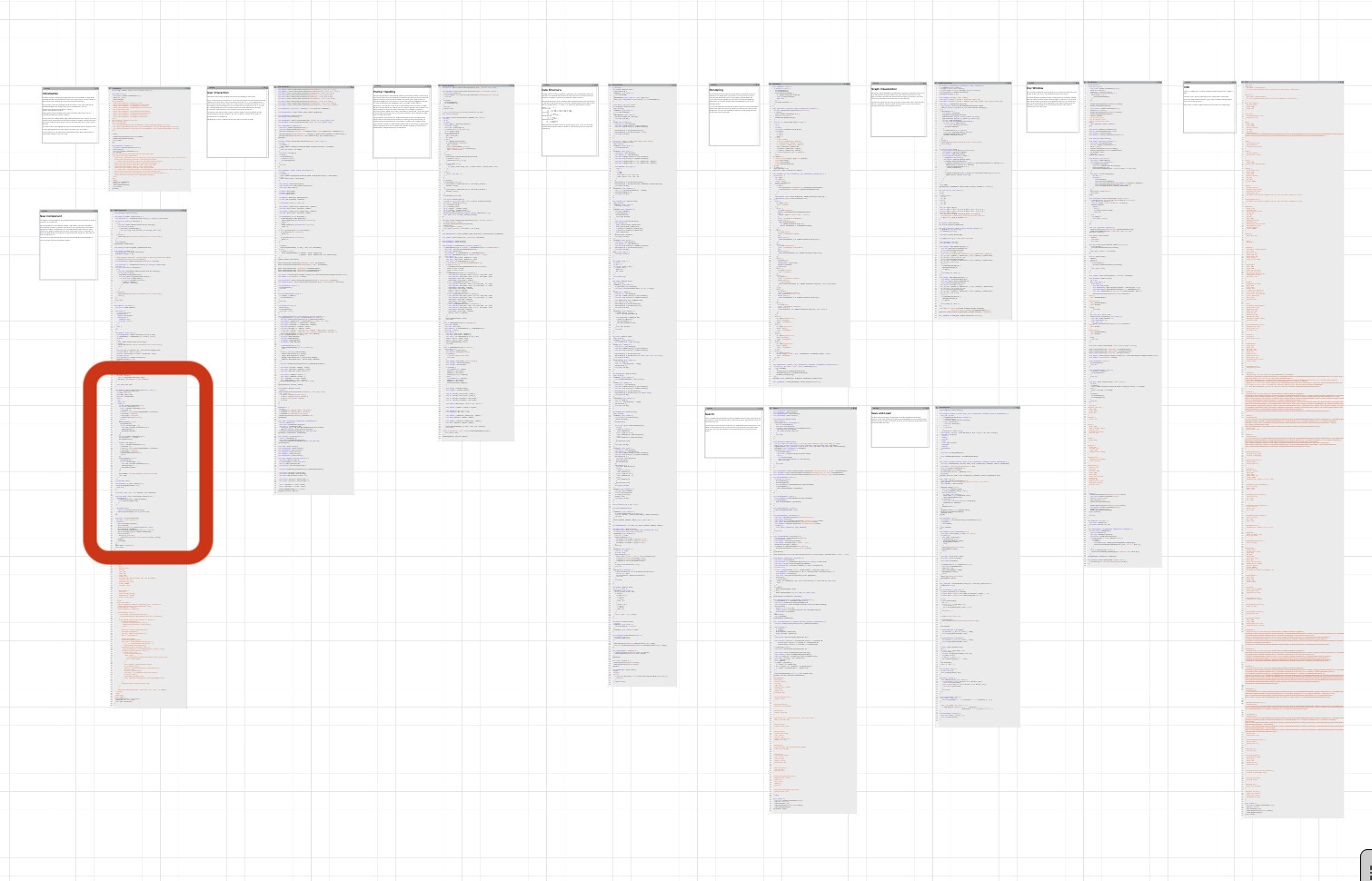
You’d get something like this:

If you navigate to the part enclosed by a red rectangle on the left (by pinch zoom and pan), you see my “wordHover” extension at the line 103, and it is installed into a CodeMIrror editor at the line 191. (and the position of the pop up is controlled by CSS at near the bottom part of the right most text window.)

So my goal is to show the purple pop up at a “good” location that does not interfere much, but I can still move my pointer there to click something in it.

(You can edit code in the environment, press the “runner” button at the top-left, and click the triangle play button in the runner to run it. For example, if you tweak the transform value of .cm-tooltip-hover:has(.cm-tooltip-dependency) class, you can move the purple tooltip position relative to the mouse pointer.)

I can make an isolated example… But to describe precisely what I want, this is it.

Thanks again.

I think I’d recommend not using hoverTooltip but writing your own custom implementation (still using showTooltip as a primitive) that behaves the way you need.

Thanks! I am going to copy some code, modify it and use it and experiment a few things.

I got around making a version of custom tooltip dismiss logic.


function hoverTooltip(source, options = {}) {
  return {
    extension: [
      window.CodeMirror.view.ViewPlugin.define(view => new DependencyPlugin(view, source, {hoverTime: options.hoverTime || 300})),
    ]
  }
}

class DependencyPlugin {
  constructor(view, source, options) {
    this.view = view;
    this.source = source;
    this.options = options;
    this.lastMove = {x: 0, y: 0, target: view.dom, time: 0};
    view.dom.addEventListener("mouseleave", this.mouseleave = this.mouseleave.bind(this));
    view.dom.addEventListener("mousemove", this.mousemove = this.mousemove.bind(this));
    this.hoverTimeout = -1;
    this.hoverTime = options.hoverTime;
  }

  checkHover() {
    this.hoverTimeout = -1;
    if (this.tooltip) return;
    let hovered = Date.now() - this.lastMove.time;
    if (hovered < this.hoverTime) {
      this.hoverTimeout = setTimeout(() => this.checkHover(), this.hoverTime - hovered);
    } else {
      this.startHover();
    }
  }

  startHover() {
    clearTimeout(this.restartTimeout);
    let {view, lastMove} = this;
    let desc = view.docView.nearest(lastMove.target);
    if (!desc) return;
    let pos = view.posAtCoords(lastMove);

    if (pos === null) return;
    const posCoords = view.coordsAtPos(pos);
    if (!posCoords ||
      lastMove.y < posCoords.top || lastMove.y > posCoords.bottom ||
      lastMove.x < posCoords.left - view.defaultCharacterWidth ||
      lastMove.x > posCoords.right + view.defaultCharacterWidth) return;

    const line = view.state.doc.lineAt(pos);

    if (!this.tooltip) {
      const rect = view.dom.getBoundingClientRect();
      let scaleX = rect.width / view.dom.offsetWidth;
      let scaleY = rect.height / view.dom.offsetHeight;
      const tip = this.source(view, pos, 1);
      if (!tip) {return;}
      this.tooltip = tip.create();
      this.tooltip.dom.style.position = "absolute";
      this.tooltip.dom.classList.add("cm-tooltip-hover");
      this.tooltip.dom.classList.add("cm-tooltip-above");
      this.tooltip.dom.style.left = `${(posCoords.left - rect.left) / scaleX}px`;
      this.tooltip.dom.style.top = `${(posCoords.top - rect.top) / scaleY}px`;
      view.dom.appendChild(this.tooltip.dom);
    }
    this.tooltipPos = {pos, posCoords, line};
  }

  endHover() {
    this.hoverTimeout = -1;
    if (this.tooltip) {
      this.tooltip.dom?.remove();
      this.tooltip = null;
      this.tooltipPos = null;
    }
  }

  update(update) {
    if (update.docChanged) {
      this.endHover();
    }
  }

  isInTooltip(tooltip, event) {
    const tooltipMargin = 4;
    let { left, right, top: top2, bottom } = tooltip.getBoundingClientRect();
    return event.clientX >= left - tooltipMargin && 
      event.clientX <= right + tooltipMargin && 
      event.clientY >= top2 - tooltipMargin && 
      event.clientY <= bottom + tooltipMargin;
  }

  distance(pos, move) {
    return Math.sqrt((pos.left - move.x) ** 2 + (pos.top - move.y) ** 2);
  }

  mousemove(event) {
    this.lastMove = {x: event.clientX, y: event.clientY, target: event.target, time: Date.now()};
    const view = this.view;
    if (this.hoverTimeout < 0) {
      this.hoverTimeout = setTimeout(() => this.checkHover(), this.hoverTime)
    }
    if (this.tooltip && !this.isInTooltip(this.tooltip.dom, event)) {
      const pos = view.posAtCoords(this.lastMove);
      if (pos) {
        const lastPos = this.tooltipPos;
        const line = view.state.doc.lineAt(pos);
        if (this.distance(lastPos.posCoords, this.lastMove) > 30 || lastPos.line.number !== line.number) {
          this.endHover();
        }
      }
    }
  }

  mouseleave(event) {
    clearTimeout(this.hoverTimeout);
    this.hoverTimeout = -1;
    let inTooltip = this.tooltip && this.tooltip.dom.contains(event.relatedTarget);
    if (!inTooltip) {
      this.endHover();
    } else {
      this.watchTooltipLeave(this.tooltip.dom);
    }
  }

  watchTooltipLeave(tooltip) {
    let watch = (event) => {
      tooltip.removeEventListener("mouseleave", watch);
    }
    tooltip.addEventListener("mouseleave", watch);
  }

  destroy() {
    this.endHover();
    clearTimeout(this.hoverTimeout);
    this.view.dom.removeEventListener("mouseleave", this.mouseleave);
    this.view.dom.removeEventListener("mousemove", this.mousemove);
  }
}


I started from the “docSizePlugin”, and bring hover related things into it (and remove the doc size part.) The core is similar to HoverPlugin but somewhat simplified.

If you open https://yoshikiohshima.github.io/renkon-pad/?file=https://raw.githubusercontent.com/yoshikiohshima/renkon-pad/refs/heads/main/index.renkon

zoom into some code and hover the mouse for a second, you see the dependency tooltip a bit off to the right, and you can get to it.

(the bottom left CodeMirror instance has the implementation of above Plugin.

There are a few questions:

I removed the use of view.dispatch and this.setHover.of etc. It appears to me that for handling at most one custom tooltip I don’t need them but just store things as properties of my DependencyPlugin instance. Is this an okay approach, or I should use the dispatch logic for some reasons?

When is the destroy method called? It does not appear to be called upon deleting an entire CodeMirror instance that has this plugin. Is this true? That means that some timeout may fire after the instance is gone?

BTW, I think the first semicolon on this line is a typo: view/src/tooltip.ts at 31ffdc5919f3bbc2f3773d2fd06a8ad31247bb39 · codemirror/view · GitHub
Just changing properties on a plugin will not cause the editor to redraw, so yes, it is recommended to go through transactions for plugin state changes.

Calling EditorView.destroy will destroy all view plugins in that editor. Reconfiguring an editor to no longer have a given plugin will also call its destroy method. Just removing an editor from the DOM does not destroy it.

Thanks. for now I think I don’t have to worry about destroy. I may need to comeback that when I add a way to undo deleting an editor from the environment.

As for the StateField. Ok. I am getting to using StateField. My mental model is “Fields can store additional information in an editor state”, and I understand that the custom effects passed in dispatch can be used in the update of the StateField. So my idea is to remove the property from this (of my plugin) to a StateField.

The core of the StateField looks like this:

  let hoverState = window.CodeMirror.state.StateField.define({
    create() {
      return null;
    },
    update(value, tr) {
      for (let effect of tr.effects) {
        if (effect.is(setHover)) {
          // console.log("effect", effect)
          return effect.value;
        }
      }
    }
  })

and the intermediate version I have looks like this:

....
      const tip = this.source(view, pos, 1);
      if (!tip) {return;}
      this.tooltip = tip.create();
      this.tooltip.dom.style.position = "absolute";
      this.tooltip.dom.classList.add("cm-tooltip-hover");
      this.tooltip.dom.classList.add("cm-tooltip-above");
      this.tooltip.dom.style.left = `${(posCoords.left - rect.left) / scaleX}px`;
      this.tooltip.dom.style.top = `${(posCoords.top - rect.top) / scaleY}px`;
      view.dom.appendChild(this.tooltip.dom);
      this.tooltipPos = {pos, posCoords, line};
      view.dispatch({effects: this.setHover.of({tooltip: this.tooltip, tooltipPos: this.tooltipPos})});
    }
  }

  endHover() {
    this.hoverTimeout = -1;
    if (this.tooltip) {
      this.tooltip.dom?.remove();
      this.tooltip = null;
      this.tooltipPos = null;
      this.view.dispatch({effects: this.setHover.of(null)});
    }
  }
...

I think the idea is that I don’t have “this.tooltip” and “this.tooltipPos” but keep them in the state. I see that the value comes to update of the StateField, and I return it from the update function.

In the endHover() I should be able to remove this.tooltipbut access the state object in some way… But I don’t see how to get to the value. The document for StateField does not seem to have it so it’d be somewhere in the view?

(The intermediate code is accessible here: https://yoshikiohshima.github.io/renkon-pad/?file=https://raw.githubusercontent.com/yoshikiohshima/renkon-pad/refs/heads/main/index.renkon