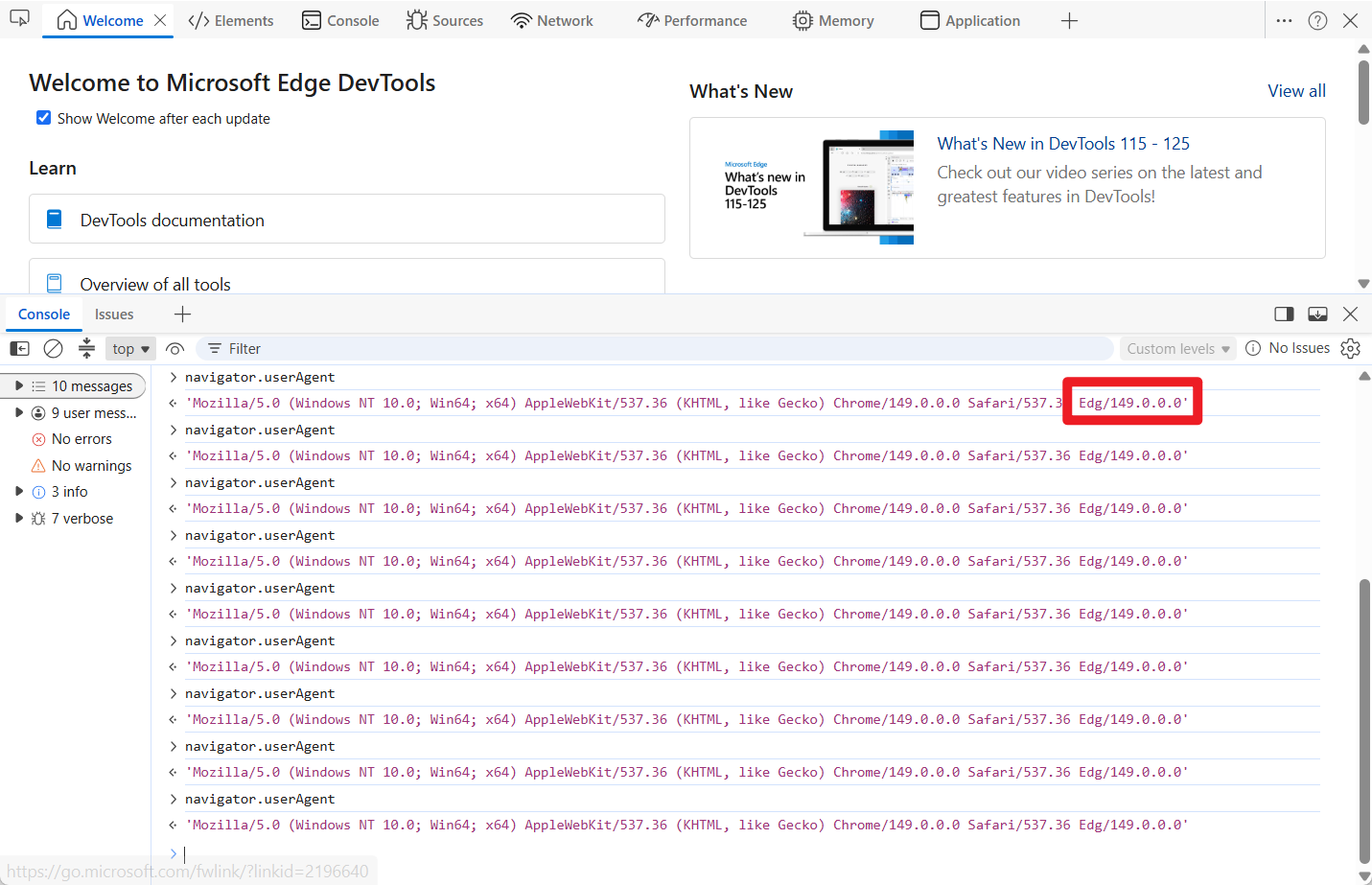
CodeMirror version: @codemirror/view 6.42.1 (also reproduced on the official try site)
IME: Microsoft Pinyin (Chinese simplified) — likely affects all Chinese IMEs on Windows
Problem
When typing Chinese punctuation (e.g., period 。, comma ,) in a CodeMirror editor, every other keypress is silently lost. The user must press the key twice to get one character to appear.
Make sure the IME is in Chinese mode (not English mode)
Click into the editor
Press the period key (.) to input 。 — press it 4 times, slowly (~1 second apart)
Expected: 4 periods appear: 。。。。
Actual: Only 2 periods appear: 。。
Every other keypress is completely lost. The pattern is consistent: 1st press → nothing, 2nd press → character appears, 3rd press → nothing, 4th press → character appears.
Comparison: works fine in native elements
The same IME, same browser, same session — typing 。 four times in:
<textarea> → 4 periods appear ✓
<div contenteditable> → 4 periods appear ✓
CodeMirror → only 2 periods appear ✗
This confirms the issue is specific to CodeMirror’s DOM structure or post-composition handling.
Additional notes
This is NOT limited to period/comma. It affects all Chinese punctuation entered through the IME.
Chinese character input (e.g., typing pinyin and selecting characters) works correctly — the issue is specific to direct punctuation input.
The bug reproduces on the official CodeMirror try site, so it’s not related to any custom extensions.
I tried to reproduce this on Chrome 147 and 148 on Windows 10. I open https://codemirror.net, switch to simplified Chinese IME, and press the period button a bunch of times. It’s producing a new 。 character for every press for me, though.
Are there any other details that might be relevant about your system? Have you seen the problem occur on multiple systems?
Thank you for looking into this and trying to reproduce it.
After further investigation and a clean Windows reinstallation, I discovered that this issue is environment-specific rather than a bug in CodeMirror itself. Here are the findings:
Browser Specificity: The bug only occurs consistently in Chrome Canary. It does not reproduce on stable versions of Chrome, Edge, or Firefox.
The Tauri Connection: I originally encountered this in a Tauri application and subsequently reproduced it in my default browser, which happened to be Chrome Canary. In Windows development environments, the Edge WebView2 runtime used by Tauri can sometimes be overridden (via registry or environment variables) to use the system’s Canary/Chromium Dev channel binaries for rendering instead of the stable WebView2 runtime. This explains why both my app and the CodeMirror playground exhibited the exact same behavior simultaneously.
Since rebuilding the Tauri app on a fresh Windows setup (which restored the default stable WebView2 mapping), the issue has completely disappeared.
It appears to be an upstream regression or an edge-case behavior in the specific Chromium Canary build rather than a flaw in CodeMirror’s DOM/composition handling.
Sorry for the confusion, and thank you for your time!
Glad to hear. Did you confirm the issue is gone in a newer canary build, or did it start working again because you ended up with a stable, non-canary Chrome version?
I originally ran into this inside a Tauri app while using Windows Insider Canary builds. After getting increasingly frustrated with random Windows behavior, I ended up wiping the system entirely.
Today I reinstalled Windows onto another drive and updated back to the Insider Canary channel again. Surprisingly, the Tauri app now works perfectly normally, even though I don’t feel like my environment changed much in any meaningful way.
At this point, the only place where I can still reproduce the issue consistently is Chrome Canary itself. I actually have multiple Chrome channels installed side-by-side, but I wasn’t intentionally switching to a stable/non-Canary build to “fix” the issue. It just mysteriously stopped happening in Tauri after the reinstall.
So unfortunately I can’t really claim I found a concrete root cause or reliable fix — the behavior just changed on its own after reinstalling Windows + rebuilding the environment, while Chrome Canary still continues to show the bug.
I was able to reproduce this in the stable channel Chrome 149. This is a Chrome bug, since I was also able to reproduce it in a rather simple contenteditable element. I’ve filed issue 521205128.