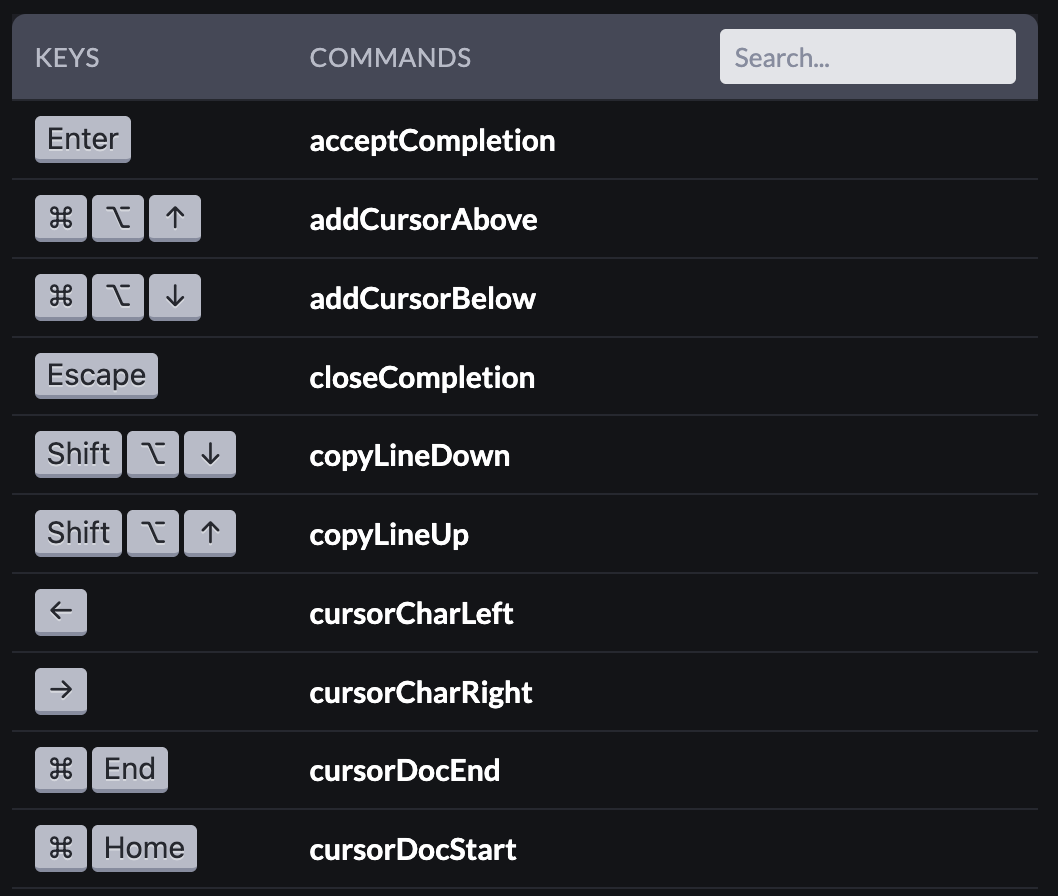
I’d love to show users available shortcuts in CodeMirror, particularly based on whatever extensions are active.
I can get the list of active keybindings by accessing state.facet(keymap).flat(), but the keybindings don’t have any information about what they actually do. The best I could find is about 30 out of the 80ish keybindings registered have a name on the run function that’s somewhat understandable. My assumption is some of the keybindings are made with anonymous functions or wrappers/closures, so there’s no name available.
Is there any other way to tell what keybindings actually do without having to manually create a list?
No, the Keybinding objects are designed to be easy to define programmatically, not to be useful for generating documentation. You’ll have to provide the user-readable information yourself.
Understandable, but is there any way to actually figure out what keybindings are active and where they even come from without going through each extension’s code manually?
It’d be lovely if there was at least an option to provide a title or description to a Keybinding so that extension authors could give context.
Not really. Most you will be adding explicitly in your configuration (and you can choose to go through a more declarative system there), but there’s nothing stopping extensions from injecting their own key bindings.
When designing this, my conclusion was that it’d be hard to do this in a general enough way (doc format, verbosity, language, inclusion of icons, etc) to cover the things that people might want here. So it’s better to leave it to individual systems to manage their documentation.