When using mixed languages, typing backtick (`) before ([{ inserts all sorts of incorrect values (see gif for more). console.log<insert backtick here>().
I think this might be a bug, here is an environment to reproduce
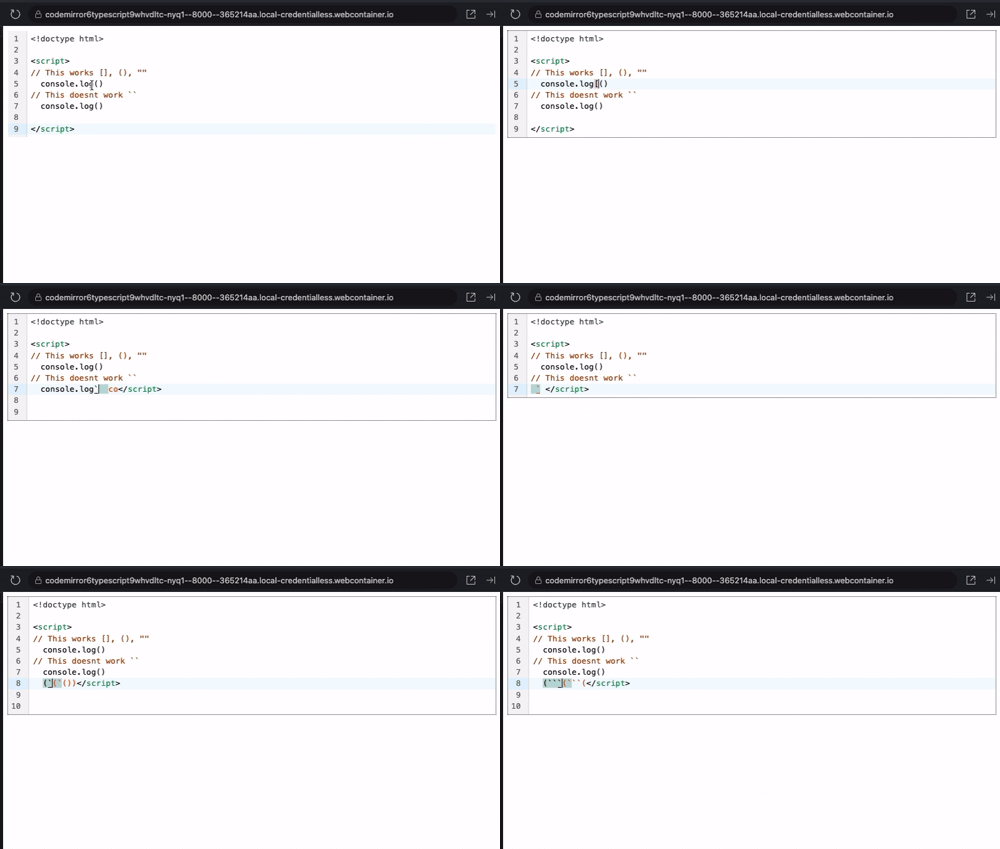
When using mixed languages, typing backtick (`) before ([{ inserts all sorts of incorrect values (see gif for more). console.log<insert backtick here>().
I think this might be a bug, here is an environment to reproduce
I’m not seeing anything unexpected happen when I type a backtick before the parentheses in the demo you linked. What browser are you using? Are there any extensions enabled that might be interfering with the editor?
Found the issue, it happens for Spanish keyboard layouts.
ES Layout

EN Layout

I’m still not able to reproduce this, even with dead key backticks.
I was able to reproduce it on two different macOS laptops. Here is more information about my device that I hope will be useful. I can also try later on a Windows machine.
OS: Tahoe 26.2 | Sequoia 15.7.3
Browsers: Chrome 143.0.7499.192 | Firefox 146.0.1 | Brave 1.85.118
Extensions: None
Keyboard layout defaults read ~/Library/Preferences/com.apple.HIToolbox.plist AppleSelectedInputSources
(
    {
        InputSourceKind = "Keyboard Layout";
        "KeyboardLayout ID" = 87;
        "KeyboardLayout Name" = "Spanish - ISO";
    },
        {
        "Bundle ID" = "com.apple.PressAndHold";
        InputSourceKind = "Non Keyboard Input Method";
    },
        {
        "Bundle ID" = "com.apple.CharacterPaletteIM";
        InputSourceKind = "Non Keyboard Input Method";
    }
)
The content in the screencast is different from the content in the demo you linked, but even if I create content resembling the screencast, I don’t see the issue occur.
Sorry, I forgot to save after changing the editor content. It should be easy to reproduce using the screencast information.
Here is some additional information based on tests I ran:
• It works as expected on Windows with the Spanish layout.
• I was able to reproduce the issue on a third macOS machine using both Firefox and Chrome
The issue appears to be real. Personally, I think it will not affect many users (macOS + Spanish layout + mixed languages), and it is something I can work around. I would therefore understand if the issue remains unresolved.
It probably affects every type of composition, not just Spanish keyboard dead keys.
I was able to reproduce this, but only when using the outdated @codemirror/view from your demo. Upgrading to 6.39.9 removed the problem. So I think this was another symptom of issue 1654.