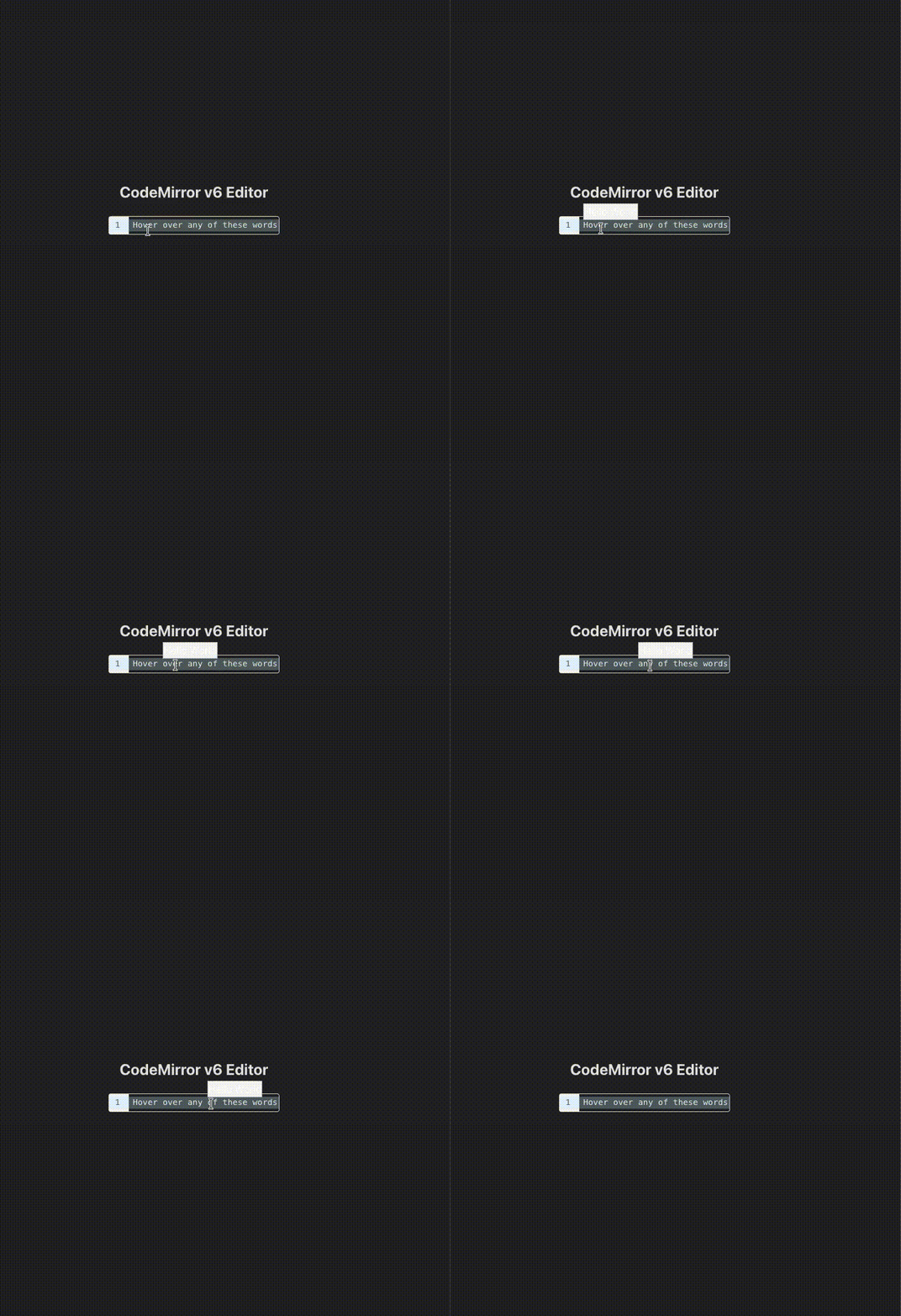
I understand that React is completely out of scope for this library. However, for heavy UI extensions, it is the only practical way to integrate with an existing application.
The issue is the following: when the tooltip is mounted, it initially renders below the target node and then moves to the top. This happens approximately 3 out of 4 times.
A screen recording demonstrating the behavior is attached.
I wouldn’t categorize it as a bug since the vanilla version works as expected. However I think it could be fixed in the HoverPlugin class but I’m not fully certain.
I suspect the tooltip’s content changes size after being drawn as a result of React’s asynchonous renderding, which causes the tooltip logic to change the way it is positioned.
Exactly, is it possible to delay the render setTimeout(..., 0) until it is mounted? The problem is that there is no way to set the correct height until it is mounted, which by that time the issue has already occurred.
Not really, the way the interface currently works. And also, from what I know of React, you can’t really force it to render synchronously, even for elements mounted in the document.
Got it, it is true that you can’t really know if it will be rendered, but for these widgets that don’t change after the first render, in my experience, some milliseconds of wait do the job. This is, of course, not ideal.
For future readers, I found a workaround. I was actually thinking about why it doesn’t happen for completion info views, and it is because the anchoring is at the top. So once it is being rendered, it grows naturally from top to bottom without any jump. For hover tooltips, with the config above: false, the issue no longer persists, which is good enough for my case.